Noise-watch-apps
Watch faces
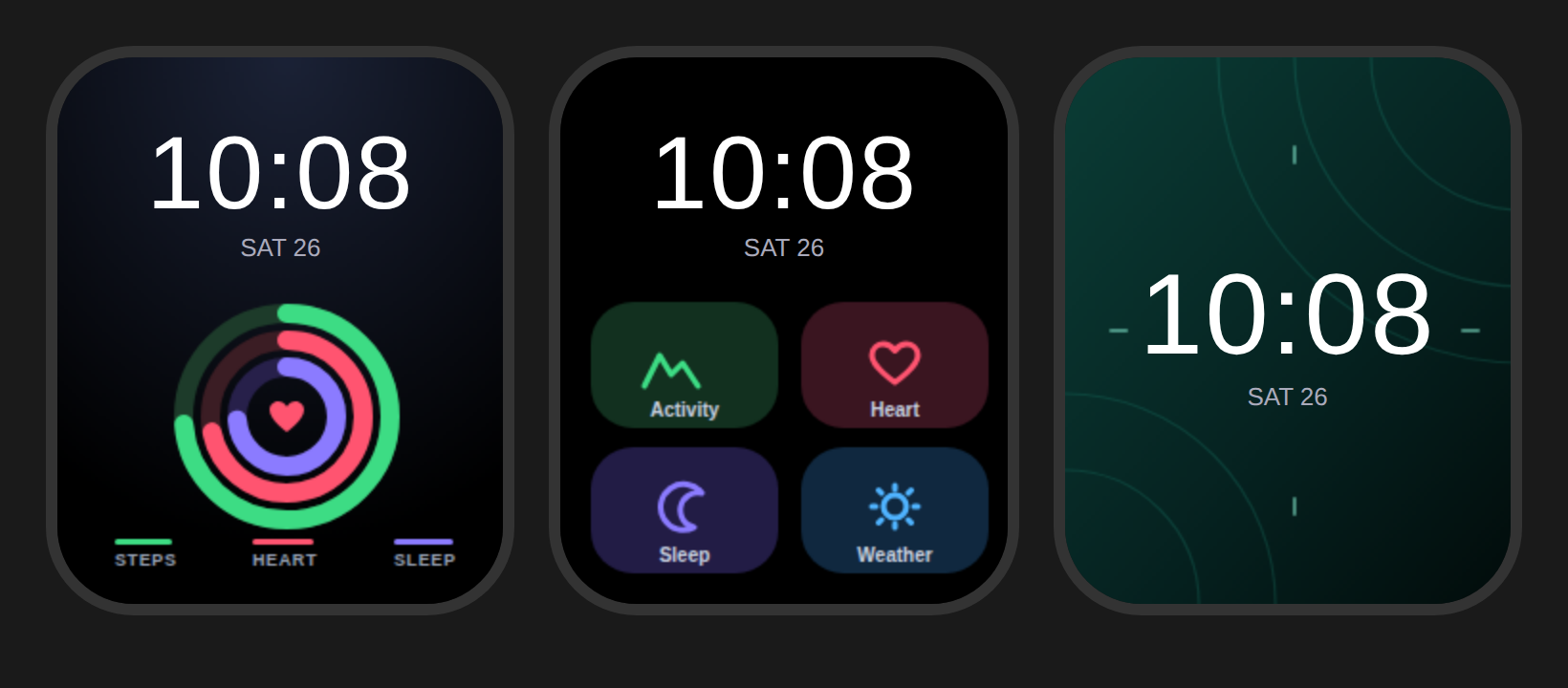
Custom watch face backgrounds for the Noise Icon 2, in a Samsung One UI style. Each one is 240 × 286 px, which is believed to match the watch’s screen. Check the size NoiseFit asks for on its custom face screen.
| File | Style | Time position |
|---|---|---|
onedark.png |
Activity rings (steps, heart, sleep) on dark blue | Top |
tiles.png |
One UI-style tile grid (Activity, Heart, Sleep, Weather) | Top |
jade.png |
Minimal dark green gradient with arcs | Middle |
The preview shows a sample time and date. On the watch, the watch draws its own time on top.
Installing
- Save the PNG to your phone.
- In NoiseFit, open your device’s watch faces section and choose Custom (or DIY), then pick the image.
- Set the time position as shown in the table and the text colour to white, then tap Install.
The rings and tiles are part of the picture. They don’t show live data, because Noise’s custom faces only let you add a photo plus the watch’s own time and date.
Editing
source.html holds the SVG for all three faces. Open it in a browser to edit, or render new PNGs at 240 × 286 with any headless browser, for example a Playwright element screenshot of each .face element.
Live faces
live/ has experimental faces in the MoYoung binary format with a real clock, steps, heart rate and battery. They’re uploaded from a laptop instead of as a photo.